#CampDIY Day 43: Share Your Best Click!
Take five creative photos with a phone or camera, print or arrange them into a colorful mini collage, and share your best click.




Step-by-step guide to Share Your Best Click (CampDIY Day 43)
Photosynthesis 🌷 | What is photosynthesis? | Step-by-step process
Step 1
Think of five fun photo ideas you want to try and say them out loud.
Step 2
Use a phone or camera to take five creative photos that match your ideas.
Step 3
Look through your photos and pick the five that you like best.
Step 4
Prepare your photos by printing them or opening them on a tablet or computer so they are ready to arrange.
Step 5
If your photos are on paper, cut them out neatly along the edges.
Step 6
Place a sheet of colored paper on a flat table to be your collage base.
Step 7
Arrange your five photos on the colored paper until you like the layout.
Step 8
Glue or tape each photo down so they stay in place.
Step 9
Decorate around the photos with coloring materials and stickers to make your collage pop.
Step 10
Choose your best click from the five photos.
Step 11
Write a one-sentence caption that explains why that is your best click.
Step 12
Take a clear photo or screenshot of your finished collage and caption.
Step 13
Share your finished creation and your best click on DIY.org
Help!?
I don’t have a printer or colored paper — what can I use instead to prepare and display my photos?
If you don’t have a printer or colored paper, show the five photos on a tablet or computer for arranging and use plain white paper, a cereal box cut flat, or a sheet of wrapping paper as your collage base before taping the photos down.
My photos came out blurry or too dark—how can I fix that so I have five good pictures to choose from?
Retake the blurry or dark photos using natural light near a window or outdoors and steady the phone/camera on a table or a stack of books to match the instruction step 'Use a phone or camera to take five creative photos'.
How can I change the activity for different ages so it’s fun but not too hard?
For younger kids simplify to three photos and let a grown-up handle cutting and gluing, while older kids can take five themed photos, edit them on a tablet, and add detailed captions before arranging on the colored paper.
How can I make my collage more special or challenge myself after finishing the basic steps?
Personalize and extend your project by adding mixed-media elements like fabric scraps or magazine cutouts around the five photos, writing a short story for your chosen 'best click', and sharing the final photo on DIY.org as the instructions suggest.
Watch videos on how to Share Your Best Click (take five creative photos and make a mini collage)
Photosynthesis
4 Videos
Photosynthesis

Photosynthesis: Crash Course Biology #8
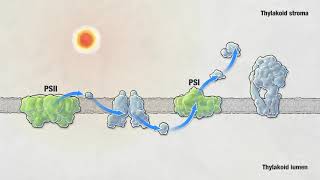
Photosynthesis | HHMI BioInteractive Video
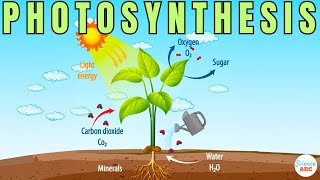
Photosynthesis: The Biochemistry Behind How Plants Make Their Food
Facts about photography for kids
📸 Most photos taken today come from smartphones — tiny cameras in pockets made photography instant and everywhere.
🏞️ The oldest surviving photograph is Nicéphore Niépce's 1826–1827 'View from the Window at Le Gras' — a real piece of photo history!
🎨 Collage was popularized in modern art by Pablo Picasso and Georges Braque in the 1910s, turning scraps into masterpieces.
🖨️ Many photo kiosks and compact printers can spit out a 4×6 print in about a minute — perfect for quick mini collages.
🎯 The 'rule of thirds' splits a frame into a 3×3 grid — placing your subject along those lines often makes photos look more dynamic.
How do I do CampDIY Day 43: Share Your Best Click?
What materials do I need for CampDIY Day 43?
What ages is the photo collage activity suitable for?
What are safe sharing tips for kids doing 'Share Your Best Click'?
