Build your own luxury living room on Bloxburg
Design and build a luxury living room in Bloxburg: choose furniture, colors, lighting, arrange layout, add decorations, and test comfort and style.
About this activity
Design and build a luxury living room in Bloxburg: choose furniture, colors, lighting, arrange layout, add decorations, and test comfort and style.
What you need
Step by step
- 1
Step 1
Open Bloxburg and enter Build Mode.
- 2
Step 2
Choose which room will be your luxury living room and set its size.
- 3
Step 3
Pick a color scheme and write the main colors in your notebook.
- 4
Step 4
Set the room flooring and apply wall coverings from the build menu.
- 5
Step 5
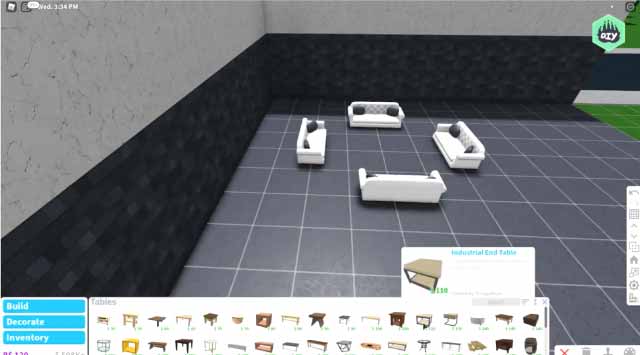
Place a large feature sofa as the main seating.
- 6
Step 6
Add a coffee table and side tables near the sofa.
- 7
Step 7
Place ceiling lights and at least one floor or table lamp.
- 8
Step 8
Add luxury decorations like a rug artwork plants and a TV or fireplace.
- 9
Step 9
Arrange furniture so there is a clear walking path through the room.
- 10
Step 10
Switch to Play Mode to try out your space.
- 11
Step 11
Sit on the sofa to test how comfortable it feels.
- 12
Step 12
Walk around the room to check the layout flow.
- 13
Step 13
Make up to three small changes to improve comfort or style.
- 14
Step 14
Take a screenshot of your finished luxury living room.
- 15
Step 15
Share your finished creation on DIY.org.
Fun facts
How do you design and build a luxury living room in Bloxburg?
Start by planning your style—modern, classic, or glam—and sketch a layout. Enter Build Mode, set room dimensions, then pick high-end furniture and a cohesive color palette. Place seating, coffee table, and focal pieces, add layered lighting (ambient, task, accent), rugs, and curtains. Use resize and rotate tools to balance scale. Add decorations and test comfort by walking around with your avatar; adjust spacing and lighting until the room feels polished and functional.
What materials or items do I need to build a luxury living room in Bloxburg?
You’ll need in-game currency to buy furniture sets, premium or standard decor, wallpaper, flooring, and lighting fixtures. Have a variety of sofas, chairs, tables, rugs, plants, artwork, and decorative accents. Use Build Mode tools: paint, resize, move, and snapping grid. Optional: reference images for mood, color palette, and a budget plan. If collaborating, a voice or chat tool and a saved game or place file help manage designs.
What ages is designing a luxury living room in Bloxburg suitable for?
Designing in Bloxburg is great for kids roughly 8 and up who can navigate menus and follow basic design ideas; younger children can participate with adult guidance. It supports fine motor skills, reading simple labels, and creative decision making. Parents should supervise online play, set time limits, and help with any in-game purchases. Cooperative building with adults or older siblings makes it accessible and safe for younger players.
What are the benefits of building a luxury living room in Bloxburg?
This activity promotes creativity, spatial reasoning, and planning—kids learn to balance color, scale, and function. It teaches budgeting if they manage in-game currency, and encourages problem solving when arranging layouts. Collaborative builds boost communication and teamwork. Playing through the design-test-adjust cycle also builds perseverance and design confidence, while offering a fun, low-risk way to experiment with interior design concepts.
Watch & Learn
Need help?
What can I use if I can't find a large feature sofa or a specific lamp in the Build Mode catalog?
If you can't find a large feature sofa or a particular lamp in Build Mode, substitute two matching smaller sofas or a sectional and use a floor lamp or table lamp from the catalog, and write the chosen item names and colors in your notebook.
What should I do if my walking path gets blocked or I can't sit on the sofa when I switch to Play Mode?
If the path is blocked or the sofa won't let you sit, go back to Build Mode and move the sofa, coffee table, and side tables to create a clear walking path, then switch to Play Mode to retest sitting and layout flow.
How can I adapt this activity for younger children or make it more challenging for older kids?
For younger children, pick a smaller room, prechoose a simple color scheme for them to write in the notebook and limit furniture to a sofa, coffee table, rug, and one lamp, while older kids can add layered ceiling lights, plants, artwork, a TV or fireplace and make up to three small style changes.
How can we extend or personalize the luxury living room after completing the basic steps and taking a screenshot?
To personalize and extend the room, add themed rugs, artwork, plants, and a fireplace or TV, tweak lighting and furniture placement as part of your three small changes, take multiple staged screenshots, and include your color notes when you share on DIY.org.