Build your own garden on Bloxburg
Create and design your own garden in Bloxburg: choose plants, arrange beds, add decorations, and learn planning, creativity, and basic landscaping while playing.
About this activity
Create and design your own garden in Bloxburg: choose plants, arrange beds, add decorations, and learn planning, creativity, and basic landscaping while playing.
What you need
Step by step
- 1
Step 1
Log into Roblox and open Bloxburg to start your garden project.
- 2
Step 2
Pick an empty lot or a spot in your house yard where you want the garden to be.
- 3
Step 3
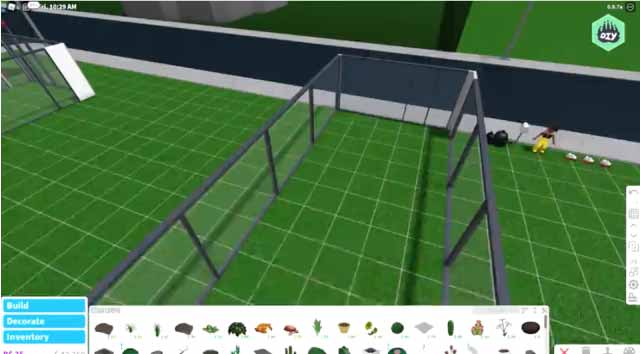
Enter Build Mode so you can move things and place new garden items.
- 4
Step 4
Sketch a simple garden plan in your notebook showing where beds paths and decorations will go.
- 5
Step 5
Choose a garden theme like flower meadow vegetable patch or cozy patio.
- 6
Step 6
Use the terrain tool or place ground tiles to shape your garden beds in the game.
- 7
Step 7
Place plants and trees inside the beds according to your sketch.
- 8
Step 8
Add paths using stones wood or tiles to connect different garden areas.
- 9
Step 9
Put in decorations like benches fountains lights or fences to make it cozy.
- 10
Step 10
Walk around in Live Mode to check how your garden looks and make small tweaks.
- 11
Step 11
Take screenshots of your finished garden and share your creation on DIY.org
Fun facts
How do you build a garden in Bloxburg?
To build a garden in Bloxburg, enter Build Mode and sketch a layout on the plot. Use terrain tools or planters to create beds, then place plants, trees, and hedges from the furniture menu. Add paths, fences, and lighting for structure and ambiance. Decorate with benches, pots, and statues. Switch to Play Mode to test walkways and adjust spacing. Save often and try themed layouts for practice.
What materials do I need to build a garden in Bloxburg?
You'll need a Roblox account and access to Bloxburg (a paid Roblox experience). In-game money (BloxBucks) is useful for buying plants, planters, fences, lighting, and decorative items. Use Build Mode tools, terrain brushes, and the furniture catalog. A computer or tablet with comfortable controls, an internet connection, and optional headphones for co-play rounds out the setup. Parental controls and a budget plan help manage purchases.
What ages is building a garden in Bloxburg suitable for?
Building a garden in Bloxburg is suitable for children about 7 and up with supervision; recommended ages around 10+ for independent play. Younger kids can participate with an adult guiding mouse or controller use and managing purchases. The activity teaches planning and creativity, so adjust complexity to your child’s attention span. Always set time limits and privacy settings to keep the experience age-appropriate.
How can I keep my child safe while they build a garden in Bloxburg?
Keep play safe by enabling Roblox privacy settings, turning off or restricting chat for younger players, and supervising in-game purchases. Use family accounts and set time limits. Teach children not to share personal information and to report strangers or inappropriate behavior. Play together occasionally to model good online etiquette. For variations, try themed gardens (butterfly, vegetable, fairy) and timed design challenges to extend learning and creativity.
Watch & Learn
Need help?
What can we use if specific plants, trees, or ground tiles aren't available in Bloxburg?
If specific plants, trees, or ground tiles aren't available, substitute potted plants or floor tiles for ground tiles, hedges for trees, or paint patches in Build Mode to mark beds as you would in the 'use the terrain tool or place ground tiles' and 'place plants and trees' steps.
My paths won't line up or items clip when I place them in Build Mode — how do I fix this?
While in Build Mode, use the grid snap, rotation and height controls to nudge stones, wood or tile paths into alignment, delete and re-place overlapping decorations, and check changes in Live Mode as suggested in steps 3, 8, and 9.
How can I adapt the garden project for younger or older kids?
For younger kids simplify steps 4–7 by picking one theme and helping them place a few large plants and a single path, while older kids can expand steps 2–8 with detailed sketches, mixed materials like stones/wood/tiles, layered planting and decorative lighting.
How can we personalize or extend the finished garden before sharing on DIY.org?
Personalize the garden by adding a themed bench, fountain, fences, custom lights or hidden paths, take multiple screenshots in Live Mode per step 10, and write a short description of your theme and choices before posting on DIY.org.