Build your own dog on Bloxburg
Design and build your own virtual dog in Bloxburg using in-game building tools, choose colors, accessories, and create a cozy dog-friendly space.


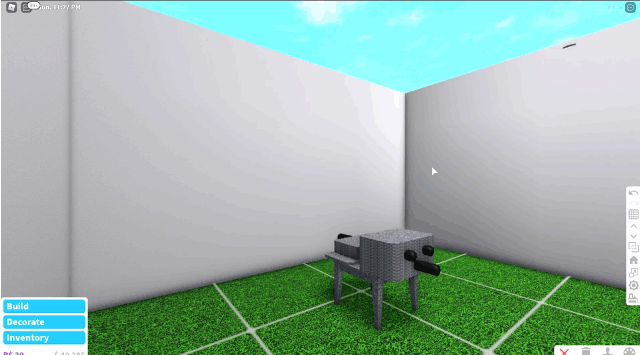

Step-by-step guide to Build your own dog on Bloxburg
Step 1
Launch Roblox and join the Bloxburg game.
Step 2
Enter Build Mode on your plot or inside your house.
Step 3
Choose a flat spot for your dog and quickly clear any objects from that space.
Step 4
Decide your dog's size color and one special feature like floppy ears or a spotted coat.
Step 5
Build the dog's body using blocks walls or furniture pieces to form a simple shape.
Step 6
Add the dog's head by placing smaller parts on top of the body.
Step 7
Add facial features by placing eyes a nose and a mouth using small decorative items.
Step 8
Attach ears and make a tail using angled parts or thin objects.
Step 9
Use the paint tool to color each part to match the design you chose.
Step 10
Add a collar or bandana accessory around the neck area.
Step 11
Place a comfy dog bed near your dog.
Step 12
Place a food bowl next to the bed.
Step 13
Share a screenshot or description of your finished virtual dog and cozy space on DIY.org
Help!?
What can we use if we don't have angled parts, thin objects, or small decorative items in our Bloxburg inventory?
Use sloped or wedge-shaped blocks and stacked small walls for ears and tails, and repurpose tiny furniture pieces like lamps or picture frames as eyes, nose, or mouth instead of small decorative items.
My dog looks lopsided after I add the head — how do I fix the alignment?
While in Build Mode, turn on precise move/rotate controls and grid snap off, clear the surrounding space as step 3 instructs, then nudge the head or add a small support block under it to realign the head with the body.
How can I adapt this activity for different age groups?
For younger kids, keep it simple using large blocks and pre-made furniture pieces to form the body and a painted collar, while older kids can use angled parts, multiple decorative items, and the paint tool to create floppy ears and a spotted coat.
How can we extend or personalize our virtual dog and cozy space after building it?
Add a custom name tag to the collar, build a fenced yard with extra walls, style the bed and food bowl to match your dog's colors, and share a screenshot on DIY.org as the final step to show off your personalized design.
Watch videos on how to Build your own dog on Bloxburg
BLOXBURG ANIMAL TUTORIAL: Dobermann
3 Videos
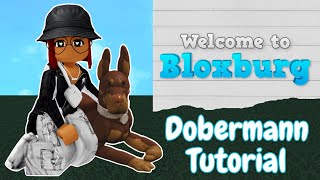
BLOXBURG ANIMAL TUTORIAL: Dobermann
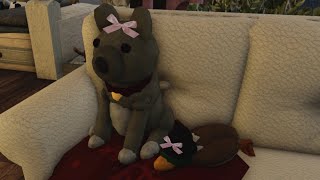
Bloxburg DOG tutorial
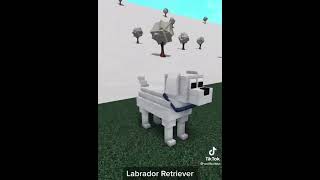
HOW TO MAKE REAL DOGS (in bloxburg)
Facts about virtual pet design and Roblox building
🕹️ Roblox has over 200 million monthly active users, so your Bloxburg dog could be admired by players worldwide!
🐶 Dogs are one of the most popular virtual pet choices in games — players love customizing and bonding with them.
🎨 In Roblox you can mix colors, patterns, and accessories to make totally unique pets — think bandanas, collars, and themed coats!
🏠 Welcome to Bloxburg focuses on building and roleplay, making it perfect for designing cozy, pet-friendly rooms and yards.
✨ Small design details like a comfy bed, toys, or water bowls make virtual pets feel cared for and encourage more player interaction.
How do I design and build a virtual dog in Bloxburg?
What materials and tools do I need to build a dog in Bloxburg?
What ages is this Bloxburg dog-building activity suitable for?
What are safety tips, benefits, and fun variations for building a dog in Bloxburg?
