Build a to-do list app
Build a simple to-do list app using block-based or beginner coding tools to add, complete, and delete tasks while learning basic programming.
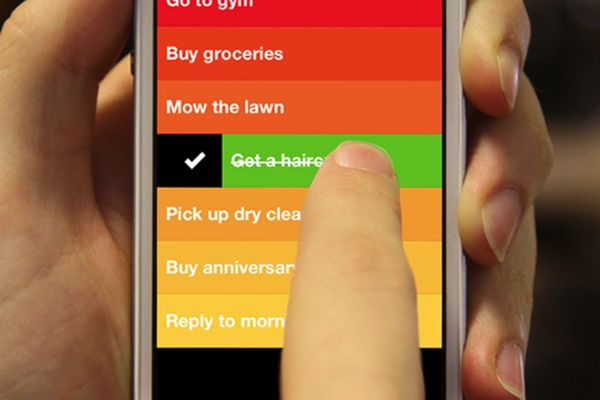
About this activity
Build a simple to-do list app using block-based or beginner coding tools to add, complete, and delete tasks while learning basic programming.
What you need
Step by step
- 1
Step 1
Open your block-based coding tool and start a brand-new project.
- 2
Step 2
Make a new list called "tasks" to hold all the to-do items.
- 3
Step 3
Add a text-input method by placing an input component or using the "ask" block so you can type a task.
- 4
Step 4
Create an "Add" button sprite or UI button on the screen.
- 5
Step 5
Program the "Add" button so that when it is clicked it takes the input text and adds it to the "tasks" list.
- 6
Step 6
Make a display area that shows each item from the "tasks" list as visible labels or sprites on the stage.
- 7
Step 7
Add a "Complete" control next to each displayed task and program it so clicking it changes the task's appearance to show it is done.
- 8
Step 8
Add a "Delete" control next to each displayed task and program it so clicking it removes that item from the "tasks" list.
- 9
Step 9
Test your app by adding three tasks to the list to check the Add Complete and Delete controls work.
- 10
Step 10
Save your project so you don't lose your work.
- 11
Step 11
Share your finished to-do list app on DIY.org
Fun facts
How do I build a simple to-do list app with block-based coding?
Start by sketching the app layout: input box, add button, and task list. In your block editor create a list variable to store tasks. Make an input event that appends new items to the list when the Add button is pressed. Display the list and add controls for marking complete (toggle a status) and deleting items (remove by index). Test each feature, debug logic blocks, and iterate on the user interface. Optionally add save/load depending on the tool.
What materials and tools do I need to make a to-do list app with blocks?
You’ll need a device (computer or tablet) and a block-based coding platform like Scratch, Blockly, Microsoft MakeCode, MIT App Inventor, or Thunkable. Internet access is helpful for tutorials and saving projects. Also use paper and pencil for planning, a mouse or touchscreen, and optionally stickers/prizes to motivate kids. An adult account or supervision may be needed for some platforms. Headphones and a quiet workspace help focus.
What ages is building a block-based to-do list app suitable for?
This activity suits a wide range: with guidance, children around 6–8 can learn to add and remove simple tasks; ages 9–12 can work more independently and add features like marking tasks complete; teens 13+ can extend the app with data persistence, sorting, or custom styling. Adjust complexity and adult support based on each child’s attention, fine motor skills, and prior coding experience.
What are the benefits of making a to-do list app with block coding?
Building a to-do app teaches sequencing, logic, and debugging while introducing lists/variables and event-driven thinking. Kids practice planning user interfaces and problem-solving, gain confidence from completing a useful project, and learn digital organization skills. It’s a gentle bridge to text-based coding and encourages creativity, persistence, and collaboration if done in pairs or groups.
Watch & Learn
Need help?
I don't see an input component in my block tool — what can I use instead?
If your tool lacks an input component, use the "ask" block (or a sprite script that runs an "ask" prompt) to collect the text and then add the answer to the "tasks" list when the Add button is clicked.
My Add button runs but nothing appears in the display area — what should I check?
Make sure the Add button's script actually appends the input text to the "tasks" list and then rebuilds or refreshes the display area (for example by creating labels or clones for each item) so the new task becomes visible.
How can I adapt this to-do list activity for different ages?
For younger children, precreate the "tasks" list and use large Add/Complete/Delete sprites with simple one-line tasks, while older kids can add priority fields, due-date inputs, sorting routines, drag-and-drop reorder, or save/load using cloud or project variables before sharing.
What are simple ways to extend or personalize the to-do list app?
Personalize by making the "Complete" control change a task's color and play a sound, add tags or due dates stored alongside items in the "tasks" list, enable drag-and-drop or reorder functions in the display area, and implement save/load so the project persists before you save and share on DIY.org.