Animate a LEGO® minifig jumping
Create a stop-motion video of a LEGO minifig jumping by posing incremental frames, photographing each move, and assembling them into a short animation.


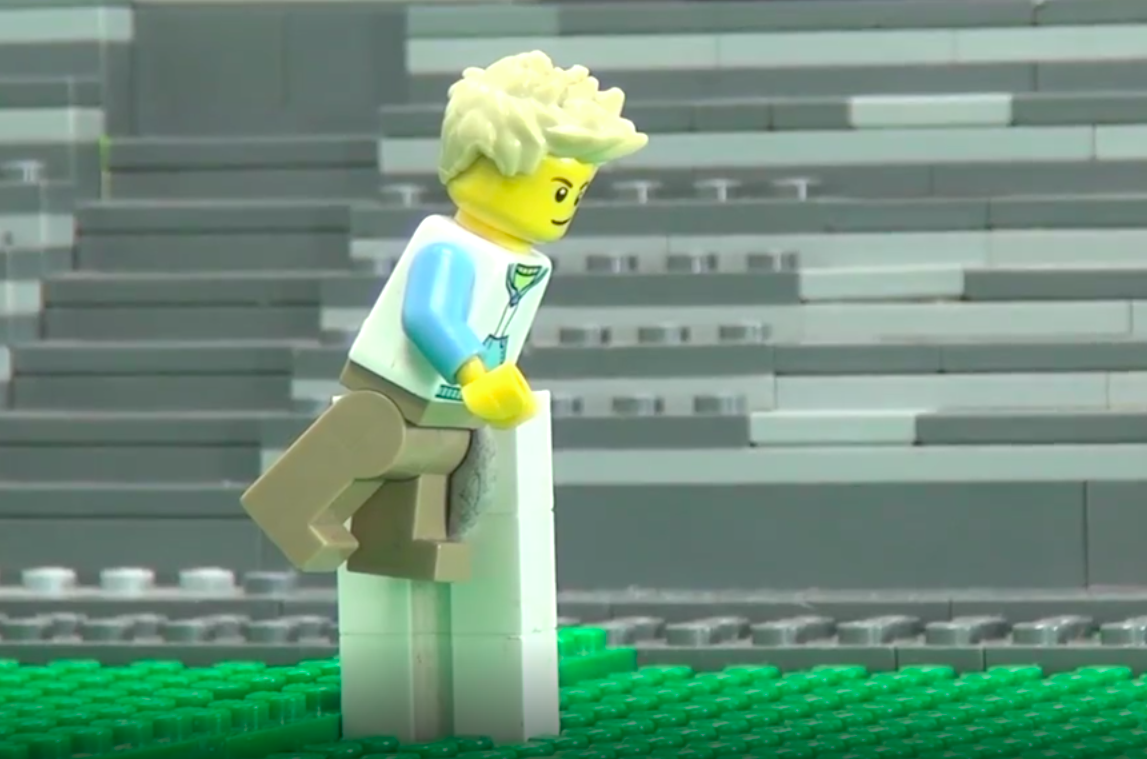

Step-by-step guide to animate a LEGO® minifig jumping
Step 1
Place the background paper or cardboard flat on a table.
Step 2
Put the LEGO baseplate or a flat surface on the background where your minifig will jump.
Step 3
Turn on and position the desk lamp so the baseplate is lit evenly.
Step 4
Put a few small LEGO bricks nearby to use as props or markers.
Step 5
Pose your LEGO minifigure in a crouch at the starting spot on the baseplate.
Step 6
Ask an adult to help place a phone or camera on a stable surface aimed at the minifig.
Step 7
Take the first photo of your crouching minifig.
Step 8
Move the minifig a little upward to show the beginning of the jump.
Step 9
Take a photo of the push-off position.
Step 10
Move the minifig to the highest mid-air pose.
Step 11
Take a photo of the mid-air pose.
Step 12
Move the minifig into a landing pose.
Step 13
Take a photo of the landing pose.
Step 14
Import your photos into a stop-motion app or photo editor and assemble them in order to make a short animation.
Step 15
Share your finished stop-motion LEGO jump on DIY.org.
Help!?
What can we use instead of a desk lamp or a LEGO baseplate if we don't have them?
If you don't have a desk lamp, use bright indirect sunlight or an LED clip light, and if you don't have a LEGO baseplate use a sheet of stiff cardboard or a flat plastic tray as the surface where your minifig will jump.
My minifig keeps falling over between frames — how can I keep it stable during the jumping sequence?
If the minifig keeps falling over between frames, secure its feet to the baseplate with a small dab of reusable putty or clear tape, or use the small LEGO bricks as temporary supports while you take each photo.
How can I simplify or make the activity more challenging for different ages?
For younger kids reduce the number of photos by making bigger moves and have an adult position the phone or camera, while older kids can take many tiny increments, fine-tune the desk lamp lighting, and add more frames in the stop-motion app for a smoother jump.
How can we improve or personalize the final animation before sharing on DIY.org?
To personalize the animation, import your photos into the stop-motion app and add a hand-drawn background on the paper, extra LEGO props, sound effects or titles, and insert extra mid-air frames for slow-motion before sharing on DIY.org.
Watch videos on how to animate a LEGO® minifig jumping
How to Animate Minifigure Walking and Running (LEGO Stop-Motion Tutorial)
4 Videos
How to Animate Minifigure Walking and Running (LEGO Stop-Motion Tutorial)

Building an EPIC Custom LEGO Minifigure From Scratch!
How to MAKE COOL LEGO minifigures?
How to Make Things Fly Without Computer Effects! LEGO Stop Motion Tutorial for Beginners
Facts about stop-motion animation for kids
🧱 The LEGO minifigure was introduced in 1978 and quickly became the tiny star of countless stop-motion films.
🎥 Stop-motion animation dates back to the late 1800s when filmmakers used many photos of models to create movement.
📷 Many beginner stop-motion projects use 12 frames per second (fps) because it balances smoothness with less work.
⏱️ At 12 fps, one second of animation needs 12 photos — so a 10-second jump takes about 120 individual pictures!
🤸 To animate a believable jump, use four key poses — crouch, takeoff, peak (mid-air), and landing — then add in-between frames.
How do you animate a LEGO minifig jumping?
What materials do I need to make a LEGO stop-motion jump?
What ages is animating a LEGO minifig jumping suitable for?
What are the benefits of making a stop-motion LEGO minifig jump?
