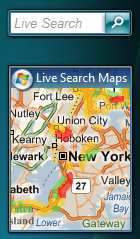
Microsoft Bing is a search engine owned and operated by Microsoft that helps users find information, images, and videos online with a colorful and engaging interface.

Set reading age
View for Kids
Easy to read and understand
View for Students
Clear, detailed explanations
View for Scholars
Deep dives and big ideas
Microsoft Bing is a search engine created by Microsoft in 2009. 🌐It's a special tool that helps you find information on the internet! Just like when you ask a librarian for a book, you can type questions or words into Bing, and it shows you websites, images, and videos related to your query. 🚀Bing is known for its beautiful daily images and fun quizzes! With Bing, you can search for anything from dinosaurs 🦖 to your favorite cartoons! It is available in many countries, making it useful for kids all over the world.
Bing is always improving and adding new features! 🔮Microsoft plans to make Bing smarter using artificial intelligence. This means it can give better answers and help you find what you are searching for even faster! Bing will also keep updating its design to make it more interactive and user-friendly. ✨Imagine searching for something and Bing guiding you through a fun experience while you learn! Future features might include more voice-activated searches and even deeper integration with virtual reality. The possibilities are endless!
Bing was officially launched on June 3, 2009. Before Bing, Microsoft had other search engines like MSN Search and Windows Live Search. 🖥️ Bing was created to improve the way people searched the internet and to compete with other search engines like Google. Did you know that the name "Bing" was chosen because it is short, simple, and sounds fun? 🎉Its launch event included a cool new website and various features that made searching easier and more enjoyable for users!
When you use Bing, Microsoft cares about your privacy! 🔒They make sure your information is safe and don't share it without permission. Bing allows you to manage your settings to choose what to share and what to keep private. You can also erase your search history anytime! 🕵️♂️ They provide tools to report inappropriate content to keep the search environment safe for kids! Learning online should be fun and secure, and Bing works hard to protect its young users while they explore the internet!
Bing has some fantastic features! One of its most exciting ones is the daily background image, which often shows stunning nature scenes or animals. 🌅Bing also provides a "Bing Rewards" program that lets you earn points for searching and redeem them for prizes! 🎁Bing's "Visual Search" lets you search using images instead of words. You can upload a photo of your favorite toy, and Bing will find similar images for you! Plus, Bing provides answers to questions directly at the top of the page—so you don’t have to scroll too far! 👍
Bing's user interface is colorful and easy to use! 🎨When you visit Bing's homepage, you see a beautiful image and a search bar at the center. Just type what you want to find and hit enter! The results are presented clearly so you can find what you need quickly! Bing also categorizes results so you can explore related topics easily. It’s designed to be friendly for kids, with cool pictures and fun icons. 🦄Plus, the search experience is just like a treasure hunt—exciting and full of surprises with every click!
Bing has changed how people search online since its launch! 📈It helps bring awareness to various topics like health, education, and entertainment. For instance, its unique quizzes and fun features encourage kids to learn more while exploring the web. 📚Bing trends can show the most popular searches, giving you a glimpse into what everyone is curious about. This can even influence what news stories you hear about or what games become popular, helping shape how we learn about the world around us!
Bing works perfectly with other Microsoft products like Windows 10, Office 365, and Microsoft Edge. 🖥️ When you use a Windows computer, Bing is often set as the default search engine, making it easy for you to find information. In Microsoft Edge, if you highlight text, you can search directly with Bing by right-clicking! 🖱️ Bing also connects with Cortana, the digital assistant, to answer questions just by talking! "Hey, Cortana, what’s the weather today?" You can count on Bing to work seamlessly with these tools to make your experience better!
Bing has developed fun ways to show ads through its advertising system called Bing Ads. 📢When you search for something, you might see sponsored results at the top of the page. Microsoft uses exciting campaigns to promote Bing, like tying promotions to popular movies or games. 🎬Bing also partners with various businesses, which helps it reach even more people! Another strategy they use is to offer special deals to encourage users to switch to Bing. This makes searching more enjoyable and helps grow their user base!
Bing is just one of many search engines available. The most famous is Google, which was created in 1998. 🌍While both search engines help you find information, they have different designs and results. Some kids like Bing's colorful images & quizzes, while others prefer Google's simple and clean website. Bing offers video previews, so you can watch clips before you click! 🎥Additionally, Bing uses a Bing Image Search to help you find pictures easily, while Google focuses more on searching websites. They make exploring the internet fun in their unique ways!


DIY is a creative community where kids draw, build, explore ideas, and share.
No credit card required