Awk Facts For Kids
Awk is a versatile programming language used primarily for pattern scanning and processing within text files.
Select reading age

Awk Facts For Kids
Videos & Quizzesincluded
About this topic
AWK is a special computer language used to work with text! 🖥️ It was created in 1977 by Alfred Aho, Peter Weinberger, and Brian Kernighan. Its name comes from the first letters of their last names—A, W, and K! AWK is amazing for searching and processing files that have lots of text. Imagine sorting your toys or organizing your books using a special set of instructions; that’s what AWK does with data! You can use AWK on computers that run Unix or Linux systems, and it's very powerful for helping you find exactly what you need in piles of information. 📚
Explore with ChatDinoKey Points
AWK was invented at Bell Labs, a famous place in New Jersey where many smart people work!
AWK has many cool commands!
The way you write AWK is called "syntax," and it can look different from other programming languages.
Ready to dive into AWK?
AWK is like a superhero for data processing!
When you get good at AWK, you can learn advanced techniques!
Let’s look at some fun examples using AWK!
AWK is not alone!
Photos of Awk

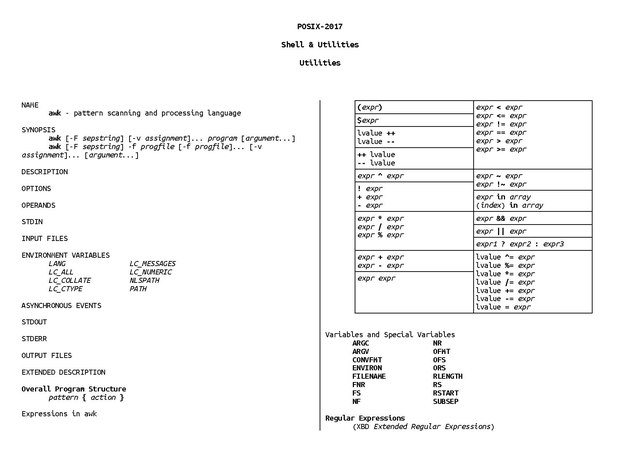
Usage of AWK programming language in shell to check matching fields in two files
🏢 History Of Awk
AWK was invented at Bell Labs, a famous place in New Jersey where many smart people work! 🏢The team wanted to make it easier to handle text data instead of using long and complicated methods. In 1985, the first book about AWK was published, written by the creators themselves! 📖The language quickly became popular because it helped programmers and data scientists save time. Over the years, new versions of AWK have been released, making it even better. Now, AWK is still widely used in programming, and you can learn it to join the exciting world of computing! 🌍
Go deeper😊 Common Awk Commands
AWK has many cool commands! Here are some of the most popular ones: `print`, `if`, and `for`. 😊The `print` command shows things on the screen, like a magic mirror! The `if` command helps AWK decide what to do based on certain conditions. For example, “if the number is greater than 10, then do something!" 🔍 Then we have the `for` command, which repeats instructions a certain number of times, just like counting your fingers! 👍Using these commands, you can create powerful scripts to make your text processing easier and faster!
Go deeper🎨 Basic Syntax And Structure
The way you write AWK is called "syntax," and it can look different from other programming languages. 🎨An AWK command usually starts with the word “awk,” followed by curly braces {}. Inside the curly braces, you write the instructions. For example, to print a word, you would write `print "Hello, World!"`. It’s like saying “show me that!” AWK uses spaces and special symbols, like “/” to separate conditions. Learning this structure helps you write clear commands so AWK can understand what you want it to do. Remember, neatness counts! ✏️
Go deeper📚 Resources For Learning Awk
Ready to dive into AWK? 📚There are many resources to help you learn! Start with “The AWK Programming Language” book that was written by its creators! 📖You can also find online tutorials, videos, and games that teach you how to use this cool programming language. Websites like Codecademy and Khan Academy have beginner-friendly courses! Don't forget to check out forums where you can ask questions and share ideas with other learners. The more resources you explore, the better you will become at using AWK! Happy coding! 🎈
Go deeper🦸♂️ Data Processing Applications
AWK is like a superhero for data processing! 🦸♂️ It's great for handling large text files, like those found in schools and businesses. For example, if your teacher has a list of students and their grades, AWK can quickly find the top grades! 🎓It’s also used in data analysis to extract important information, like counting how many kids like different snacks. You could even create reports or summaries from big piles of information effortlessly! By knowing how to use AWK, you can help solve problems and make tasks a lot easier! 💻
Go deeper📈 Advanced Techniques And Features
When you get good at AWK, you can learn advanced techniques! 📈One feature is regular expressions (regex), which help you search patterns in text. For instance, you can find all the names that start with a letter "A" easily! Another cool feature is functions, which let you create mini-programs inside your commands. 🛠️ You can even combine AWK with other tools like grep to find even more data! These advanced skills make you an AWK wizard and help you tackle any text-processing challenges that come your way! 🧙♂️
Go deeper🎉 Practical Examples And Use Cases
Let’s look at some fun examples using AWK! 🎉Say you have a list of your friends and their favorite colors. You can use AWK to count how many like "blue" and print their names! 🌈Or, if you have a big shopping list, you can calculate the total cost using AWK! 💰You can create your very own programs to make calculations, filter data, or summarize information quickly. These examples show how AWK makes working with text fun and easy to understand, so you can impress your friends with your coding skills! 😄
Go deeper🤹♀️ Comparison With Other Text Processing Tools
AWK is not alone! There are other tools like sed and grep, but AWK is special because it can do more complicated jobs. 🤹♀️ Grep is great for searching text, while sed is used for editing text. However, AWK can combine both abilities! Think of AWK as the Swiss Army knife of text processing; it can slice, dice, and analyze all at once! 🥳Learning AWK can give you more power, so you can tackle tasks that might be tricky with just one tool. Each tool has its strengths, so using them together can help you become a super coder! 🚀
Go deeper