Vibe coding for kids with Vibe Coder
Vibe Coder brings vibe coding for kids to life. A kid-safe AI coding helper that turns creative ideas into games, apps, and web projects.
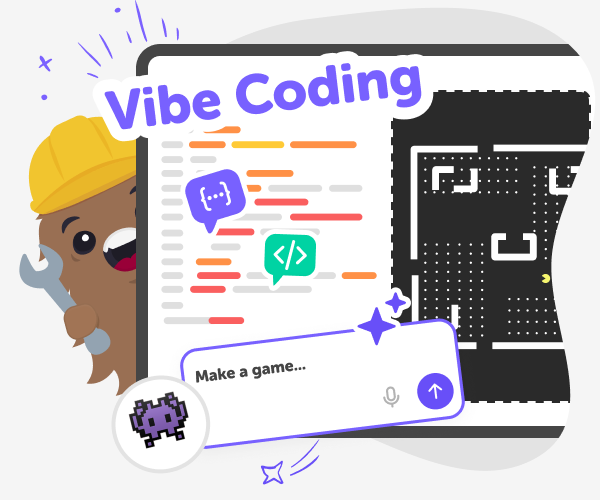
What is Vibe Coding?
Vibe coding means using a short idea, feeling, or description — a “vibe” — to tell a tool what you want to build. Vibe Coder listens to those prompts, generates a playable preview, and shows real code so kids can see how ideas become working projects. It’s a friendly way for children to make games, apps, and simple electronics without typing lots of code first. Starting with a vibe helps kids focus on creativity and design. Vibe Coder combines kid-safe AI coding guidance with templates and blank canvases so learners can explore, experiment, and learn while making.
Vibe Coder on DIY.org gives several vibe coding environments: Ardu Coder for Arduino-style projects, Game Viber for games, Java Coder and Py Coder for web and scripting, and Ask Anything for coding Q&A. Kids pick a template or blank canvas, type a short prompt in the left prompt window, then watch a live preview appear on the right. Toggle to the Code window to inspect the underlying code, export work, or view an Ardu Coder schematic. The learning loop is simple: describe, generate, inspect, tweak. Kids ask questions, iterate designs, and test playable prototypes. Everything is educational, kid-focused, and supported by DIY.org guardrails so parents can feel confident.
What is vibe coding for kids?
Vibe coding for kids is a creative way to build by describing ideas instead of writing lots of code first. Kids type short prompts — a vibe — into Vibe Coder and the tool generates a working preview plus the underlying code. This lowers the barrier to making by letting kids focus on concepts like story, mechanics, or behaviour. Vibe coding encourages rapid experimentation: try an idea, play the result, then change the prompt. On DIY.org, vibe coding is paired with kid-friendly explanations and templates so learning happens while making.
How does Vibe Coder help kids learn and create?
Vibe Coder supports learning by turning simple descriptions into playable prototypes and showing the real code behind them. Kids pick a template or start blank, describe a vibe, and then test a live preview. They can toggle to the Code window to inspect how things are built, ask questions using Ask Anything, and export when ready. The tool teaches problem solving through making: try a change, test it in the preview, and then improve. This cycle builds creativity, debugging skills, and confidence with both visual and text-based coding concepts.
Is Vibe Coder safe for kids?
Yes. Vibe Coder is built for kids and designed with safety and learning in mind. The tool uses age-appropriate prompts, kid-friendly explanations, and moderated sharing so children aren’t exposed to unsafe content. It provides kid-safe AI coding help that suggests constructive, simple next steps rather than raw web results. Parents and educators can choose whether to allow sharing; when projects are shared, DIY.org’s moderation and community rules help keep feedback positive. Vibe Coder emphasises hands-on learning, clear guidance, and optional sharing so kids can explore coding confidently within supervised, child-focused guardrails.
Can kids build games, apps, and electronics with Vibe Coder?
Absolutely. Vibe Coder includes different environments for different projects: Game Viber for playable games, Java Coder and Py Coder for web and scripting projects, and Ardu Coder for Arduino-style electronics with schematics. Each environment shows a live Preview and the code window side by side so kids can play prototypes, test ideas, and learn how code and circuits work together. Helpful templates offer starting points such as traffic lights, simple games, or sensor projects, and kids can export or iterate on their creations. As learners experiment and combine features across environments, they build practical skills and creative confidence.
Create a project with Vibe Coder
Pick a Vibe or Template
Open Vibe Coder and choose a starting environment: Game Viber, Ardu Coder, Java Coder, Py Coder, or Ask Anything templates.
Describe What You Want
Type a short prompt in the left prompt window describing your idea, mood, or mechanic and pick a blank canvas or example.
Inspect the Preview and Code
Watch the live Preview on the right, play your prototype, and toggle to the Code window to see how it works under the hood.
Make the most of Vibe Coding
Try different vibes Type playful, technical, or story-based prompts to see different starting points and compare results quickly. Iterate with questions Ask Vibe Coder follow-up questions to tweak behaviour, difficulty, visuals, or circuit details instead of starting over. Combine environments Move between Game Viber, Ardu Coder, Java Coder or Py Coder to blend electronics, gameplay, and web ideas into one project. Share and reflect safely Save projects, play prototypes, and use DIY.org’s moderated sharing tools to show friends and get feedback.
Frequently asked questions
What age is Vibe coding for?
Vibe Coder is designed for kids aged 5–15, with simple prompts for beginners and richer options for older kids.
Do kids need coding skills to start?
No. Kids can begin with templates or short vibe prompts and learn coding concepts by inspecting generated code.
How do kids start a project in Vibe Coder?
Choose an environment, pick a template or blank canvas, type a short prompt, and watch the Preview appear.
Can kids change the generated project?
Yes. Kids can ask follow-up prompts, edit the code window, adjust visuals, and test changes in the live Preview.
Is Vibe Coder just an AI generator?
No. It’s a learning tool that combines generation with inspection, explanation, and hands-on iteration to teach by making.
Is Vibe Coder kid-safe?
Yes. The tool offers kid-focused guidance, optional moderated sharing, and safety features to support positive learning experiences.
Do kids need an account to save work?
You can try Vibe Coder without an account, but signing up lets kids save projects, export code, and track progress.
Can kids share their creations with friends?
Yes. Sharing is optional and moderated so kids can safely post projects and get friendly feedback from peers.
More tools
Minecraft Emerald
Minecraft emerald is a helpful topic for kids who want to learn what emeralds do in Minecraft and how they can be part of trading, collecting, and adventure. On this page, kids can explore the meaning of emeralds in the game and use Vibe Coding to turn that curiosity into a hands-on creative project.
Minecraft Girl Skins
Minecraft girl skins let kids design how their character looks in the game, from hair and clothes to colors and style. This page explains what Minecraft girl skins are, why kids enjoy making them, and how creative tools like Vibe Coding can help kids explore ideas, build confidence, and turn a simple concept into something they can keep improving.
Minecraft Hacks
Minecraft hacks are clever ideas, builds, and shortcuts that help players play in new ways, solve problems, and make the game feel more creative. This page helps kids understand the topic and try it through guided making with Vibe Coding, where they can build and test interactive projects inspired by the world of Minecraft.
Minecraft House Ideas
Minecraft house ideas give kids a fun way to imagine, plan, and build spaces that feel safe, creative, and personal in the game. From tiny starter homes to castle builds and treehouses, each idea can help kids practice design choices, problem-solving, and confidence while they make something that reflects their style.
Ready to start creating?
Join hundreds of thousands of kids already building cool stuff on DIY.ORG.
Your first game is on us.
Describe a game below - no sign-up needed to try.
KidsGPT has moved!
Log into ChatDino to access your chats
Powered by AstroSafe
Make real games - not just chat